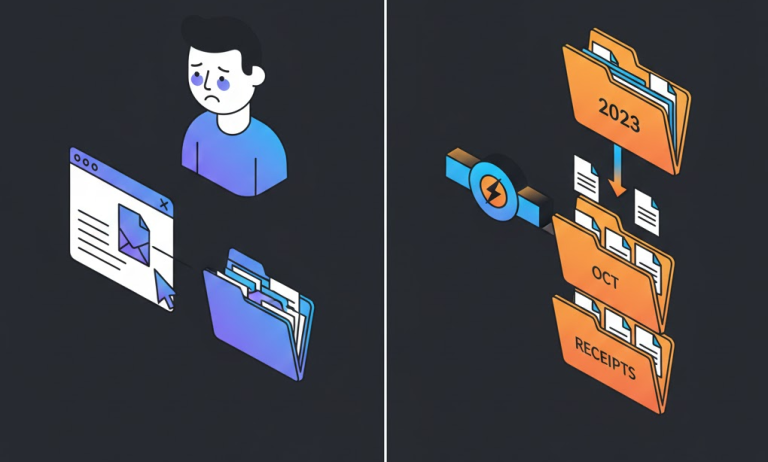

Gemini Workflow for Bookkeepers: How to Summarize Email Threads for Reconciliation in under 5 Minutes
Bookkeepers waste countless unbillable hours decrypting rambling client email chains just to locate a single approval or identify a missing $50 receipt needed for month-end reconciliation. This constant context-switching between deep work and communication archaeology destroys productivity and increases the risk of missing critical financial details.
- Time Saved: 15–30 minutes per complex thread.
- Difficulty: Beginner.
- Tools Needed: Google Gemini (Pro version recommended for very long threads, but free version works for most).
The Strategy (The “How”)
We will utilize Google Gemini’s large context window to digest messy, unstructured communication. Instead of asking for a generic summary, we will engineer prompts that force Gemini to act as a “Forensic Accounting Assistant,” ignoring pleasantries and exclusively extracting data points relevant to the general ledger, audit trails, and outstanding queries.
Step-by-Step Workflow
Step 1: The “Financial Narrative” Extraction
Context: First, we need to dump the entire email thread into Gemini and have it strip away the noise (greetings, irrelevant tangents) to provide a chronological timeline of financial events and decisions only.
The Prompt:
[System]
Act as an expert Bookkeeper and Forensic Accountant with decades of experience in month-end reconciliation. Your goal is to process disorganized communication and extract only fiscally relevant information.

[Context]
I am providing you with a long, messy email thread between a client and their vendors/internal staff regarding various expenses and approvals.

[Instructions]
Read the email thread below. Ignore all pleasantries, small talk, and non-financial information. Summarize the thread into a chronological bulleted list representing the "financial narrative."

Each bullet point must contain:
1. The Date of the communication.
2. The Stakeholder involved (Who said it).
3. The financial action, decision, or claim made (e.g., "Approved invoice #123," "Claimed receipt was attached but it is missing," "Disputed the charge from Vendor X").

[Constraint]
Do not evaluate the information yet. Just report the financial facts chronologically.

[Input Data - Paste Email Thread Below]
Why this works: By assigning the persona of a “Forensic Accountant” and explicitly explicitly constraining the AI to ignore “small talk,” you stop Gemini from generating a generic executive summary. It forces focus solely on actionable transactional data.
The Output: A clean list like:
- Jan 10 – Client CEO: Stated the Adobe subscription was cancelled.
- Jan 12 – Vendor Billing: Confirmed cancellation but noted a final pro-rated charge of $45.
- Jan 15 – Client Operations Mgr: Asked why the $45 charge is still showing on the Amex card.
Step 2: The Structured “Audit Trail” Table
Context: Now that we have the narrative, we need to convert it into structured data that we can check against the accounting software (e.g., QuickBooks or Xero).
The Prompt:
[Instructions]
Using the financial narrative summary you just created above, transform that information into a structured Markdown table for my audit requirements.

[Constraints]
The table must contain ONLY the following columns. If information is not available for a column, write "N/A".

| Date of Event | Vendor/Entity | Amount ($) | Approval Status (Yes/No/Pending) | Documentation Status (Attached/Missing) | Notes |
| :--- | :--- | :--- | :--- | :--- | :--- |
| [Content] | [Content] | [Content] | [Content] | [Content] | [Content] |
Why this works: Bookkeeping relies on structured data. Asking for a Markdown table forces Gemini to categorize the unstructured text into a format compatible with how a bookkeeper thinks about a transaction line item. It immediately highlights gaps (e.g., seeing “Missing” under the Documentation Status column).
The Output: A neat table showing exactly what is known and what is unknown.
| Date of Event | Vendor/Entity | Amount ($) | Approval Status | Documentation Status | Notes |
| :— | :— | :— | :— | :— | :— |
| Jan 12 | Adobe | $45.00 | Yes | Missing | Final pro-rated charge mentioned by vendor. |
Step 3: The Client Query Draft
Context: The biggest pain is going back to the client to ask for the missing items identified in Step 2. We will use Gemini to draft a polite but extremely specific request email, minimizing back-and-forth.
The Prompt:
[Instructions]
Based *only* on the rows in the table above where the "Documentation Status" is "Missing" or "Pending", draft an email to the client.

[Tone]
Professional, efficient, helpful, but firm regarding compliance needs.

[Format Example]
"Hi [Client Name], To close the books for [Month], I need clarification on the following items from this thread:
1. [Vendor Name] - [Amount]: We are missing the receipt for this.
2. [Vendor Name]: Please confirm if this charge was approved."

[Your Task]
Draft the email below.
Why this works: This closes the loop. It takes the analysis and immediately turns it into the next operational step. By feeding it the structured table from Step 2, you ensure the email to the client is precise and only asks for what is actually missing, reducing client frustration.
The Output: A ready-to-send email draft:
“Hi Client, To finalize the January reconciliation, I just need one outstanding item from this Adobe thread: Please provide the actual invoice/receipt for the final $45.00 pro-rated charge, as it was not attached to the previous emails. Thanks.”
The “Pro-Tip” / Quality Control
Human-in-the-Loop Verification:
Never trust the AI’s summary blindly for final reconciliation. Always keep the original email thread open in a separate tab. Use the Gemini summary as a “map” to quickly locate the source emails and verify the actual attachments or approval language before committing entries to the general ledger. The AI is your retriever, not your signatory.
Troubleshooting (FAQ)
Common Error: Gemini hallucinates an approval or an amount that wasn’t actually in the text, especially in very long, contentious threads.
The Fix: In Step 1, add a “Confidence Score” constraint. Modify the prompt to say: “For every financial fact extracted, append a confidence score (Low/High). If the email is vague, mark it Low.” This forces the model to flag its own uncertainty, prompting you to double-check those specific points.