ChatGPT Workflow for Bookkeepers: How to Standardize Naming Conventions in Minutes
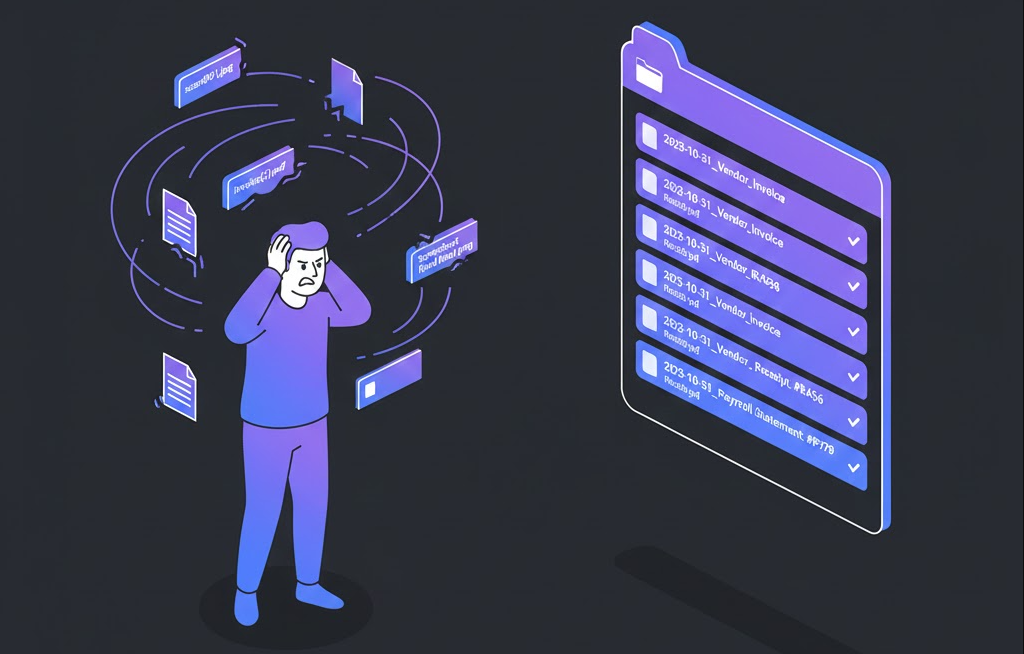
Nothing destroys bookkeeping efficiency faster than a client dumping 50 files named “image1.jpeg”, “scan_to_email.pdf”, and “receipt.png” into your portal. You waste countless unpaid hours opening every file just to identify what it is, renaming it manually, and risking audit failures because vital source documents are unsearchable digital needle in a haystack.
- Time Saved: High (Cumulative savings of 5-10+ hours per month searching for files)
- Difficulty: Beginner
- Tools Needed: ChatGPT (Free or Plus)
The Strategy (The “How”)
Instead of reactive manual renaming, we will use ChatGPT to act as a “Digital Records Governance Architect.” We will define the types of financial chaos you handle (AP, AR, Banking, Legal), and use ChatGPT to design a rigid, scalable, and sortable naming syntax that ensures every file tells you exactly what it is without needing to open it.
Step-by-Step Workflow
Step 1: Defining the Document Scope and Necessary Metadata
Context: First, we need to tell ChatGPT what kind of documents we handle and determine the essential information required to identify a file instantly.
The Prompt:
Act as a Senior Financial Controllership consultant specializing in digital records management and audit compliance.

We need to define the necessary metadata for a new file naming convention for a bookkeeping firm serving small business clients.

Our primary document types are:
1. Vendor Bills/Receipts (Accounts Payable)
2. Client Invoices sent (Accounts Receivable)
3. Monthly Bank/Credit Card Statements
4. Payroll Summary Reports
5. Tax Notices

Constraint: The goal is to know exactly what the file is, when it relates to, and who it involves without opening it.

Question: List the 4-5 essential metadata components that *must* be present in a filename to achieve maximum searchability and audit readiness. Do not define the order yet, just the components.
Why this works: By assigning the “Financial Controllership” persona, ChatGPT focuses on audit compliance rather than just aesthetics. Asking for components first (before structure) ensures we don’t miss critical data points like “Document Type” or “Transaction ID.”
The Output:
Here are the 5 essential metadata components for audit-ready filenames:
1. Transaction Date (Crucial for chronological sorting)
2. Entity/Counterparty Name (Vendor Name, Customer Name, or Bank Name)
3. Document Type Indicator (e.g., Invoice, Receipt, Statement)
4. Reference Number (Invoice number, check number)
5. Amount (Optional, but highly useful for quick visual matching against bank feeds)
H3: Step 2: Designing the Logical Syntax Structure
Context: Now we will take those components and ask ChatGPT to assemble them into a standardized formula, ensuring it handles chronological sorting correctly.
The Prompt:
(Continue conversation in the same chat)
Great components. Now, assemble these into a standardized naming syntax formula.

Constraints:
1. The syntax MUST start with the Date in international ISO format (YYYY-MM-DD) to ensure files sort chronologically by default in folders.
2. Use underscores (_) as separators between components, as spaces can cause issues in some legacy accounting software integrations.
3. Provide specific examples of how these bad filenames would look using the new syntax: "scan001.jpg" (A $500 Home Depot receipt from Oct 12, 2023) and "Chase Oct Stmt.pdf" (Chase checking statement for Oct 2023).

Output Format:
Define the syntax pattern clearly, followed by the examples.
Why this works: The constraints are vital here. Forcing ISO date formatting (YYYY-MM-DD) is the single most important element for digital organization. Mandating underscore separators prevents future IT headaches.
The Output:
Proposed Naming Syntax Pattern:
`YYYY-MM-DD_[EntityName]_[DocType]_[ReferenceNum].ext`

Examples of application:
"scan001.jpg" -> `2023-10-12_HomeDepot_Receipt_500USD.jpg`
"Chase Oct Stmt.pdf" -> `2023-10-31_ChaseBank_CheckingStmt_Oct23.pdf`
Step 3: Generating the SOP “Cheat Sheet”
Context: A naming convention is useless if you (or your junior staff) cannot easily reference the rules. We will generate a quick-reference table for your internal Standard Operating Procedures (SOPs).
The Prompt:
Turn the syntax pattern defined above into a concise SOP Cheat Sheet table that I can pin to my wall or give to junior staff.

Include columns for:
- Component Name
- Format Rule
- Example

Also, add a section for standardized abbreviations for common document types to keep filenames short.
Why this works: This turns abstract concepts into a concrete operational asset. It ensures consistency across your team by providing clear rules and pre-defined abbreviations.
The Output:
**SOP: Standardized Filename Convention**
Syntax: `YYYY-MM-DD_[EntityName]_[DocType]_[ReferenceNum]`

| Component Name | Format Rule | Example |
| :--- | :--- | :--- |
| **Date** | Always YYYY-MM-DD | 2023-01-15 |
| **Entity Name** | CamelCase, No Spaces | AmazonWebServices |
| **Doc Type** | Use standardized abbreviation (see below) | Inv |
| **Reference Num** | Invoice # or Check #. If none, use Amount. | #1045 OR 450USD |

**Standard Abbreviations:**
- Invoice (Incoming Bill): BILL
- Invoice (Outgoing to Client): INV
- Receipt/POP: RCPT
- Statement: STMT
- Contract/Agreement: AGRMT
The “Pro-Tip” / Quality Control
The Client Intake Protocol:
Don’t just use this internally. The real win is getting clients to do the work for you.
Take the SOP generated in Step 3, simplify it slightly, and send it to your clients as part of their onboarding packet titled: “How to send us files for faster processing.”
If a client consistently sends “scan.pdf”, reply with the SOP attached and say: “To ensure we meet monthly deadlines, please rename documents according to this guide before uploading.” Train them to respect your systems.
Troubleshooting (FAQ)
The Error: Filenames are becoming absurdly long because of long vendor names (e.g., 2023-10-12_TheHomeDepotCorporationWarehouse_RCPT...).
The Fix: Add a “Truncation Constraint” to Step 2.
Tell ChatGPT: “Constraint: For Entity Names longer than 15 characters, provide a rule for sensible abbreviation or truncation to keep filenames manageable without losing identity.” (It will likely suggest using the first word plus a crucial identifier, e.g., HomeDepot).